






Creating a productive home office environment is essential for anyone looking to work efficiently and comfortably from home. With the increase in remote working, having a dedicated and well-organised space can make all the difference to your focus, creativity, and overall work satisfaction. This guide shares top tips to help you design a home office that suits your needs and supports your productivity.
Why a Productive Home Office Matters
A productive workspace doesn’t just improve how much you get done; it also contributes to your wellbeing. When your environment is organised and inspiring, you’re less likely to feel stressed or distracted. Setting up a dedicated home office helps set boundaries between work and personal life, which is important for mental balance.
Choosing the Right Location
Find a Quiet Spot
Select a place in your home where interruptions are minimised. Ideally, this should be a room or corner away from busy household areas such as the kitchen or living room. If space is limited, consider using room dividers or screens to create a sense of separation.
Consider Natural Light
Position your desk near a window to take advantage of natural daylight. Natural light reduces eye strain and boosts mood, which in turn can increase productivity. If natural light is scarce, invest in good quality lamps with adjustable brightness levels.
Furnishing Your Home Office
Choose a Comfortable Chair
Invest in an ergonomic chair that supports your posture. Since you’ll be sitting for long periods, a chair with adjustable height, lumbar support, and adequate cushioning will help prevent back pain.
Desk Size and Setup
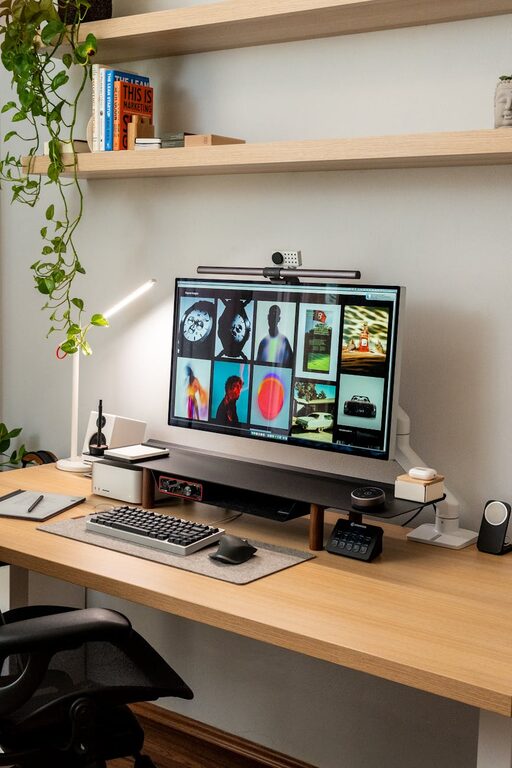
Make sure your desk is large enough for your computer, documents, and other essentials but not so big that it encourages clutter. Using monitor stands or laptop risers can improve screen height and reduce neck strain.
Organising Your Workspace
Declutter Regularly
Keep your desk free from unnecessary items. Use organisers, trays, or drawers to store stationery and papers neatly. A tidy workspace helps reduce distractions and helps you focus better.
Cable Management
Loose cables can create a messy look and get in the way. Use cable clips, sleeves, or under-desk trays to keep wires organised and out of sight.
Tools and Technology
Reliable Internet Connection
A strong and stable internet connection is crucial for remote work. Where possible, use a wired connection to avoid interruptions during calls or uploads.
Necessary Technology
Ensure your computer, printer, and any other devices are up-to-date and functioning well. Consider noise-cancelling headphones if you’re in a noisy environment.
Creating a Routine and Boundaries
Set Work Hours
Establish consistent working hours to help switch your brain into work mode. Communicate these hours to household members to minimise interruptions.
Take Breaks
Schedule short breaks to stretch, hydrate, and rest your eyes. Even a brief walk around the house or some light stretching can refresh your concentration.
Personalising Your Space
Add Plants
Houseplants improve air quality and add a touch of nature, which can improve wellbeing and reduce stress.
Decorate with Meaningful Items
Include photos, artwork, or items that inspire you, but avoid overcrowding the space.
Maintaining Motivation
Set Daily Goals
Write down achievable tasks for each day. Crossing off completed goals provides a sense of accomplishment and keeps you motivated.
Stay Connected
Working from home can sometimes feel isolating. Use video calls or online chats to stay connected with colleagues and peers.
Final Thoughts
Creating a productive home office environment takes some planning and effort but pays off with improved work performance and comfort. By selecting the right location, keeping your space tidy, investing in good equipment, and setting clear routines, you’ll be well on your way to a more enjoyable and productive working day at home. Remember, the best workspace is one that supports your unique needs and helps you maintain a healthy balance between work and life.