






Creating a home office that is both relaxing and productive can significantly enhance your work-from-home experience. When your workspace supports your mental wellbeing and boosts your focus, it’s easier to maintain motivation and accomplish your tasks. This guide offers practical tips to help you design a home office environment that balances comfort and efficiency.
Choose the Right Location
Finding the ideal spot in your home for your office is the first step. Consider these factors:
– Natural Light: Opt for a space near a window to benefit from daylight, which improves mood and reduces eye strain.
– Noise Levels: Select a quiet area to minimise distractions; if that’s challenging, consider noise-cancelling headphones.
– Space: Ensure there is enough room for your desk, chair, and essential equipment without feeling cramped.
Invest in Ergonomic Furniture
Comfort is key when spending long hours working. Ergonomic furniture supports your posture and prevents discomfort:
– Desk: Choose a desk at the correct height to keep your arms parallel to the floor.
– Chair: An adjustable chair provides lumbar support and encourages good posture.
– Accessories: Consider a footrest, wrist rests, or an adjustable monitor stand as needed.
Organise Your Workspace
A tidy and organised workspace helps reduce stress and improves concentration:
– Declutter Regularly: Remove items you don’t need to keep your desk clear.
– Storage Solutions: Use shelves, drawers, or organisers to keep documents and supplies orderly.
– Cable Management: Tidy cables with clips or sleeves to prevent tangling and maintain a neat appearance.
Use Calming Colours and Decor
The colours and decorations you choose can influence your mood and productivity:
– Colour Palette: Soft, neutral colours like pale blue, green, or beige promote relaxation.
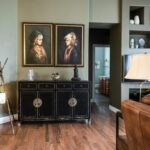
– Personal Touches: Add plants, artwork, or meaningful items to create an inviting space without overcrowding it.
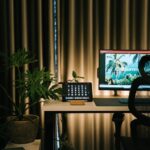
– Lighting: Use warm or adjustable lighting to create a cosy atmosphere, avoiding harsh fluorescent lights.
Incorporate Greenery
Plants improve air quality and have a calming effect, making them a great addition to your office:
– Low-Maintenance Options: Choose easy-care plants like succulents, snake plants, or spider plants.
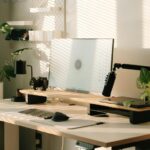
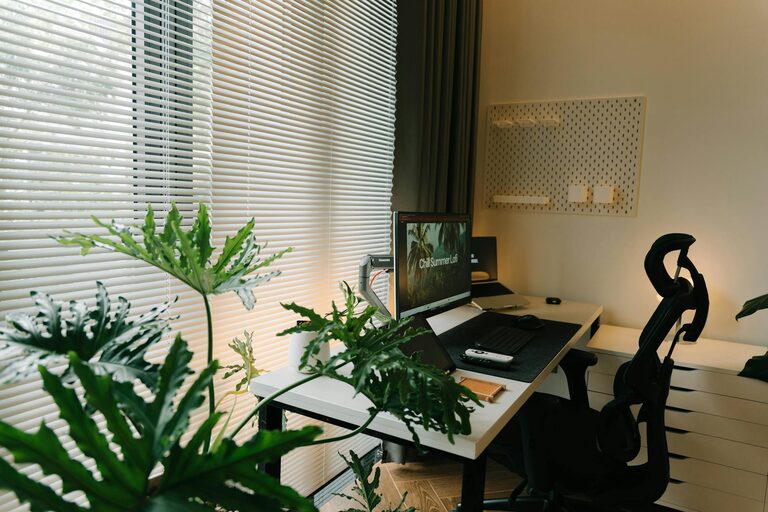
– Placement: Position plants where they can get natural light but don’t obstruct your workspace.
Define Working Hours and Breaks
Separating work time from personal time helps maintain balance and productivity:
– Routine: Set clear start and finish times to structure your day.
– Breaks: Take regular short breaks to stretch, walk, or relax your eyes.
– Physical Activity: Incorporate light exercises or stretches to reduce tension and improve circulation.
Minimise Distractions
Creating a focused environment is crucial when working at home:
– Limit Technology Interruptions: Silence notifications or use apps that block distracting websites.
– Inform Household Members: Communicate your schedule to reduce interruptions.
– Dedicated Workspace: Avoid working in common areas like the kitchen or lounge where distractions are frequent.
Use Technology Wisely
Technology can enhance productivity if used effectively:
– Tools and Apps: Use task management software, calendars, or note-taking apps to organise your workload.
– Ergonomic Accessories: A wireless mouse, keyboard, or headset can improve comfort and efficiency.
– Good Internet Connection: Ensure reliable internet for video calls and research without frustration.
Maintain Air Quality and Temperature
A comfortable environment supports concentration and wellbeing:
– Ventilation: Open windows regularly or use an air purifier to keep air fresh.
– Temperature Control: Adjust heating or cooling to a comfortable level; layering clothing can help if temperature control is limited.
—
By combining these strategies, you can transform your home office into a space that encourages both relaxation and productivity. Remember, the best workspace is one tailored to your personal preferences and work style. Take time to experiment and adjust your setup until it feels just right.